
To caption a fitness video well, write or edit a transcript so it matches the spoken words exactly, sync it to the footage as a caption file, add the non-speech sounds that matter, and keep each caption short enough to read while the person on screen is moving. Auto-generated captions are a starting draft, not a finished job. This guide covers what captions need to contain, how to keep them readable during a demonstration, which Australian standards apply, and a workflow you can repeat for every video you publish.
TL;DR
- Captions help deaf and hard-of-hearing clients first, but also anyone watching in a loud gym or a silent lounge room.
- Treat automatic captions as a draft. The W3C says they often need significant editing and must be confirmed as fully accurate.
- Aim for accurate, synchronised, complete and readable captions: two to three lines, roughly 32 to 42 characters per line.
- In Australia, the Disability Discrimination Act 1992 applies to services, and the Australian Human Rights Commission points organisations to WCAG 2.2 Level AA at a minimum.
- Captions are only one layer. Describe what you are doing on screen, because a caption cannot show a client how a hip hinge looks.
Table of Contents
- Why captions belong on workout videos
- What good captions actually contain
- Keeping captions readable while someone is moving
- Captions are not the whole job: describe what you do
- A repeatable captioning workflow
- What Australian rules say
- Beyond hearing: making video work for autistic clients
- Our perspective: captions are coaching, not decoration
- Build the skill across your whole team
- Where to go next
- FAQ
- Sources
Why captions belong on workout videos
Most trainers think of captions as a social media habit: a few words over a clip so it works on mute. That is useful, but it is the smallest reason.
A workout video is an instruction. If a client cannot access the cues, they cannot do the exercise safely or confidently. Captions make those cues available to:
- Deaf and hard-of-hearing clients, who otherwise get a silent demonstration with no coaching.
- Clients in noisy or quiet places, such as a busy gym floor, a train, or a house where someone is sleeping.
- Clients who process written language more easily than speech, including some neurodivergent people and people learning English.
- Search engines, which can read caption text and transcripts in a way they cannot read audio.
That last point is often cited by caption vendors, and it is a reasonable benefit, but treat it as a bonus. The reason to caption is access. If your video is part of a paid program, a membership library or a class replay, access is part of the product you are selling.
What good captions actually contain
The University of Arizona’s accessibility team sets out four qualities that captions need to meet WCAG 2.1 AA under Success Criterion 1.2.2: accurate, synchronised, complete and readable. Their guide puts numbers on each, and they are a handy checklist.
| Quality | What it means | Practical target |
|---|---|---|
| Accurate | Verbatim speech, with correct names and terms | 99% accuracy |
| Synchronised | Text appears as the words are spoken | Within 1 second of speech |
| Complete | Speech plus meaningful non-speech sounds | Nothing the viewer needs is missing |
| Readable | Easy to take in at a glance | 2 to 3 lines, 32 to 42 characters per line |
Accuracy matters more in fitness than in most genres
A wrong word in a vlog is a typo. A wrong word in an exercise cue can be a safety problem. Auto-captions routinely mangle exercise vocabulary: “RDL” becomes a random word, “glutes” turns into something else, “brace” becomes “race”. The W3C’s Web Accessibility Initiative notes that automatically generated captions often need significant editing and must be checked to confirm they are fully accurate. Build that check into your editing time rather than hoping the software got it right.
Keep a short glossary of terms you use often (exercise names, equipment, your own brand names) and check every caption file against it.
Include the sounds that carry information
The same W3C guidance says to include relevant non-speech audio information. In a fitness context, ask what a hearing viewer gets from sound that a deaf viewer would miss:
- A timer beeping to signal the end of an interval.
- A count-in (“3, 2, 1”) that is only audible, not shown.
- A change in music tempo that cues a transition.
- A buzzer, whistle or bell in a group class.
- Another person speaking off camera, such as a coach calling a modification.
The Arizona guide admits it is not always clear which cues to include or how to express them in text. A workable rule: if a sound tells the viewer to do something, or signals that something has changed, caption it, in brackets, for example [timer beeps] or [music slows]. If it is atmosphere only, leave it out.
When more than one person speaks, identify the speaker only when it is not obvious from the picture. A coach and a demonstrator with different cues is a common case in group-class recordings.
Keeping captions readable while someone is moving
This is the part generic caption advice skips. In a talking-head video, the viewer reads and then looks at the speaker. In a workout video, the viewer needs to watch the movement and read at the same time. That changes how you write.
Keep lines short and break them sensibly
Stay inside the two to three line limit and the 32 to 42 character range from the Arizona guide, and break lines at natural phrase boundaries. Compare these two breaks:
- Poor: “Push through your heels and / squeeze your glutes at the top”
- Better: “Push through your heels / and squeeze your glutes at the top”
The second keeps each phrase together, so the eye takes in a whole idea at once.
Cue in the gaps, not on top of the movement
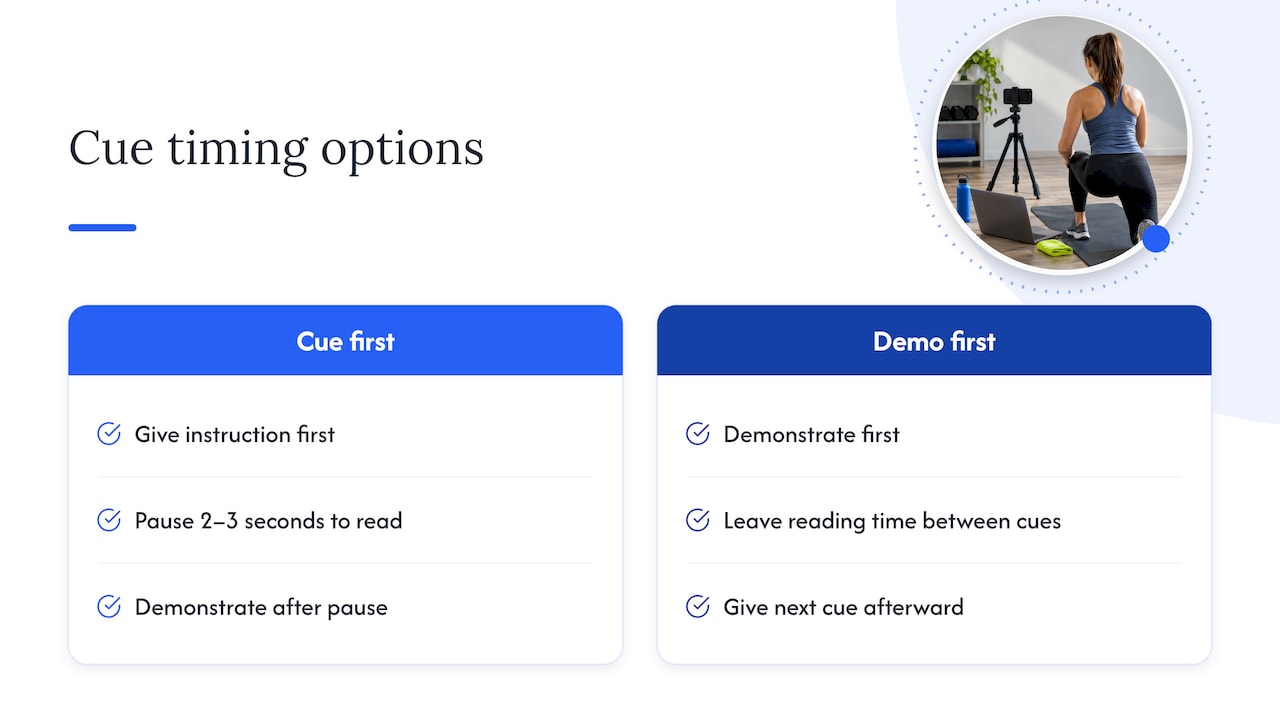
If you are filming a new video, you control the pace. Give the instruction, pause, then demonstrate, or demonstrate and then give the next cue. A viewer who is reading captions cannot also watch a complex lift. Leaving two or three seconds of quiet between cues gives everyone time to read and then watch.
Keep captions out of the action
Place captions where they will not cover the body part the client needs to see, particularly feet, hands and spine position. Most editors let you move caption position. If you use burned-in (open) captions on social platforms, check each clip for this. Where possible, offer closed captions that viewers can switch on and off, plus a transcript.
Write the script first
The NSW Department of Education advises writing a script for spoken content in advance, using plain English, and identifying important visual information that needs describing. For a workout video, a script does three jobs at once: your cues become tighter, your transcript is ready on day one, and your captions need far less editing.
Plain English is not dumbing down. “Press the floor away” is clearer than “engage scapular protraction” for most clients, and it captions cleanly.
Captions are not the whole job: describe what you do
Captions deal with sound. They do nothing for a blind or low-vision client, and they leave gaps for anyone who needs the movement explained. The Australian Government’s Disability Gateway recommends clear, easy-to-follow audio and video content with synchronised captions, transcripts and signposting, along with audio description of visual elements not covered in dialogue.
In a workout, that is mostly a speaking habit:
- Say what you are doing as you do it: “I’m lying on my back with my knees bent, feet flat on the mat.”
- Name the start and end position, not just the movement.
- Describe the equipment and its setting: “the bench is at a 30-degree incline”.
- Offer a regression or alternative in words, not just by demonstrating it.
Once you do this, your captions improve too, because the audio now carries the whole instruction.
The same Disability Gateway page also advises avoiding bright, flashing or rapidly flickering colours. This is relevant to high-energy class videos with strobing lights or rapid cuts, which can be a problem for some viewers, including some people with photosensitive conditions.
A repeatable captioning workflow
Here is a workflow that suits a solo trainer or a small studio. It follows the W3C approach of transcribing the audio and creating a timestamped caption file such as WebVTT, then editing and checking it.
- Script or outline your cues before you film, in plain English.
- Film with clear audio. Reduce music volume under speech. Loud tracks make both listening and auto-captioning harder.
- Generate a draft transcript. Use your platform’s automatic tool, or upload your own script.
- Correct the text. Fix exercise names, numbers, equipment and anything that changes the meaning of a cue.
- Sync the timing. If you already have a clean transcript, YouTube’s Auto-sync feature can synchronise it with the video to create captions.
- Add non-speech cues that signal action: timers, count-ins, tempo changes.
- Check the layout. Two to three lines, short phrases, nothing covering the body.
- Watch it once with the sound off. If you can follow the workout, so can your client. Ask a deaf or hard-of-hearing client or colleague to review it if you can.
- Publish a transcript next to the video, and keep the caption file so you can reuse it when you re-edit.
Budget extra time at first. After a few videos, your glossary and script template make the process quick.
What Australian rules say
No single Australian law has a rule that says “all fitness videos must have captions”. What exists is a broader duty. The Australian Human Rights Commission explains that the Disability Discrimination Act 1992 requires providers of goods and services not to discriminate against people with disability, and it advises organisations to conform to WCAG 2.2 at a minimum of Level AA, and to consider appropriate Level AAA criteria. The Commission describes WCAG 2.2, released in October 2023, as the internationally recognised standard for web accessibility, which also applies to non-web documents, apps, software and digital interfaces.
What that means for you in practice:
- If you sell or share workout videos as part of a service (a membership, an online program, a class library), your video content is part of that service.
- Captions on pre-recorded video are a core WCAG requirement at Level A and AA, which is why the Arizona guide frames its targets around Success Criterion 1.2.2.
- Gym owners and institutions should treat captioning as part of their wider digital accessibility, alongside their website and booking systems. If you are not sure how the law applies to your business, ask a lawyer or contact the Commission.
We are fitness educators, not lawyers, so use this as a pointer to the official page and not as legal advice.
Beyond hearing: making video work for autistic clients
Captions, scripts and plain English also help clients who process information differently. The Autism WA guide to signs of autism notes that some autistic adults may take things literally, use unique phrases, or find small talk pointless. For a trainer, that suggests a few habits that make video and live sessions clearer:
- Say exactly what you mean. “Squeeze your shoulder blades together” works; “get tight” may not.
- Skip filler chat at the start of videos. A short, structured intro (what we are doing, how long, what equipment) is easier to use.
- Keep the same structure across videos so clients know what to expect.
- Avoid idioms in your cues, or explain them.
On the environment side, Autism CRC’s overview of sensory-based interventions describes principles such as collaborating on activity choice, modifying the environment to support optimal arousal, and arranging the space to encourage interaction and learning. The same page is careful to say there is no universal set of principles for sensory-based interventions for children on the spectrum, so what works varies by person. Ask your client, rather than assuming. For video, that can be as simple as offering a low-music version or a version without flashing lights, and letting clients choose.
For in-person settings, our guides on what makes an autism-friendly gym work and on sensory-friendly gym design go further.
Our perspective: captions are coaching, not decoration
We see the same pattern again and again. A trainer cares about inclusion, films a great video, and then adds captions at the end as a finishing touch, using whatever the software produced. The result is technically “captioned” and practically useless: wrong exercise names, lines that vanish before you can read them, and no mention of the timer that tells you when to stop.
Our view is simple. If you coach through words, captions are part of the coaching. They deserve the same care as your cueing. That means writing the cue properly, checking the text, and testing with the sound off.
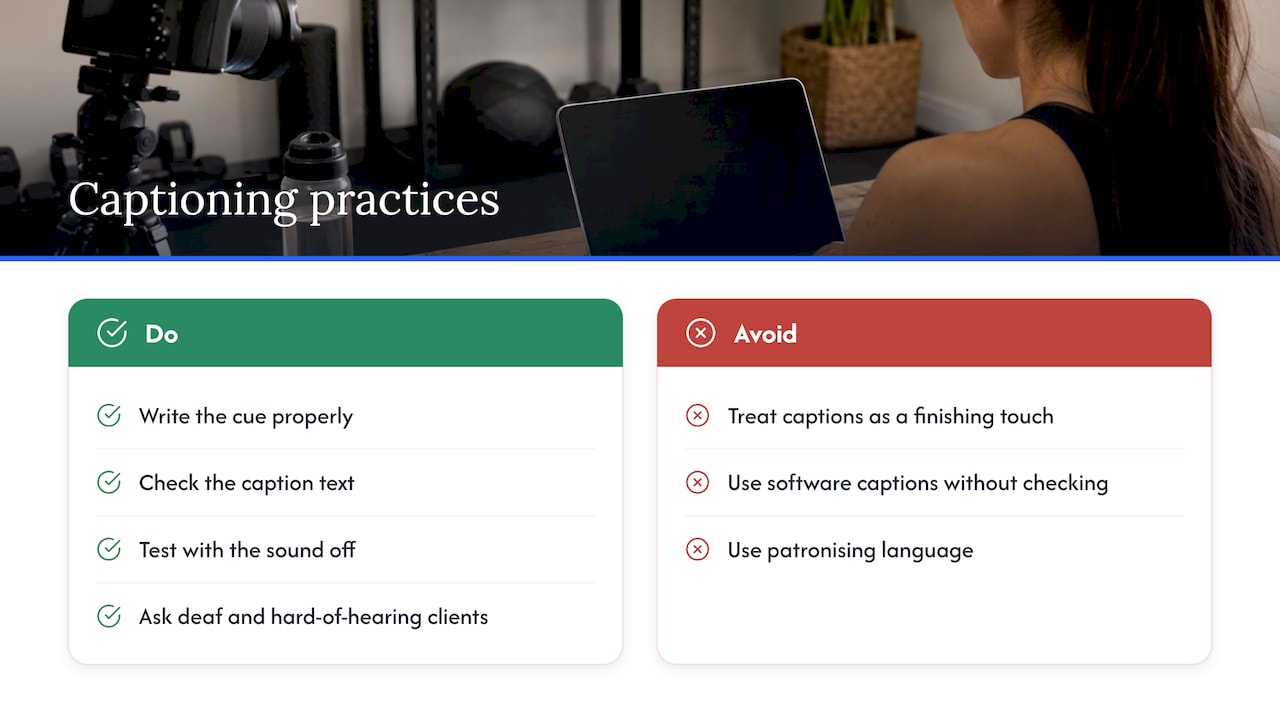
The second thing we would say is about tone. Many accessibility efforts in fitness drift into patronising language: “special” workouts, “brave” clients, a lot of pity. Disabled clients do not need that. They need clear information, a good program and a coach who treats them as a client. A well-captioned, well-described video does that quietly. It does not announce itself as inclusive; it just works for more people.
Finally, ask the people you want to reach. The best caption reviewers are deaf and hard-of-hearing clients who use your videos. One round of honest feedback will teach you more than any checklist.
— Tommy
Build the skill across your whole team
Captioning is one small piece of coaching people with disability well. If you want the wider picture, our online training modules are built for fitness professionals, gym owners and institutions. We offer a free introductory crash course, Crash Course: Train Clients With Disability, which is a no-risk way to see how we teach. Our paid modules include The Social Model of Disability at $40 AUD and History of Disability in Australia at $20 AUD, both one-off purchases. Our courses are CPD accredited, and were co-designed with people with disabilities.
If you manage a team, a gym or an institution, group and team enrolment lets you train several staff together so everyone uses the same language and standards, in your videos and on the floor.
Where to go next
Once your videos are captioned, look at the programs behind them. Our guides on designing adaptive fitness programs, cerebral palsy exercise and training clients with spinal cord injury help you make sure the content you are captioning is worth following. If you prefer to listen, our podcast Gone to Fit covers real experiences of disability in fitness.
FAQ
Are automatic captions good enough for workout videos?
Not on their own. The W3C says automatically generated captions often need significant editing and must be confirmed to be fully accurate. Exercise names and numbers are exactly where software tends to fail, so always review the text before publishing.
How many lines and characters should a caption have?
The University of Arizona guide recommends two to three lines with 32 to 42 characters per line, broken at natural phrase boundaries. In a workout video, shorter is usually better, because viewers are also watching the movement.
Do I have to caption my fitness videos in Australia?
The Disability Discrimination Act 1992 requires providers of goods and services not to discriminate against people with disability. The Australian Human Rights Commission advises organisations to meet WCAG 2.2 at Level AA at a minimum. If you are unsure about your own obligations, check with the Commission or a lawyer.
What should I caption besides speech?
Caption sounds that tell the viewer to do something or signal a change: timers, count-ins, buzzers, tempo shifts and off-camera coaching. Leave out background atmosphere that carries no information.
Do captions help clients who are not deaf?
Yes. They help people watching in noisy gyms or silent homes, and clients who find written instructions easier to process than speech. Pair them with plain English and a short transcript for the widest benefit.
Sources
- Captions/Subtitles, Web Accessibility Initiative (W3C)
- Video Captioning Guide, University of Arizona Accessibility
- Create accessible materials: audio and video content, Disability Gateway
- Creating accessible videos, NSW Department of Education
- Standards and Guidelines on digital accessibility, Australian Human Rights Commission
- Add subtitles and captions, YouTube Help
- Signs of Autism, Autism WA
- Sensory-based interventions, Autism CRC